On the findings about widgets in 2026
2026-06-04Aesthetics
I remember sitting in front of my mom's laptop back in 2008, staring onto the desktop. The background image changed every 30 seconds, it was a nice slideshow of greenery. And even though now backgrounds are either static images, solid colours, or ultrarealistic, semi-transparent, audio-visual animated masterpieces; and basic slideshows are underappreciated; I remember staring at the desktop mostly for widgets.
Windows 7 was a heaven for widgets (Windows Desktop Gadgets, as they called them). There was enough customisability in the basic set of system choices (which is very rare for Microsoft). And the ever exciting and surprising link "Get more gadgets online"`
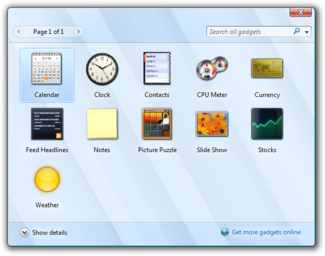
All of the younger Frutiger wave followers, WinAmp customisation enjoyers, really rely on widgets for aesthetics. I love it. I genuinely think it shows so much personality for the people glancing over your screen to see. It pretty much shaped a lot of mindsets of the young generation of tech-savvy people or at least influenced them greatly. But what genuinely inspires me in 2026 - efficiency and functionality, things I wouldn't think about twice in 2010.
Efficiency/Productivity/Functionality
I personally hate the fact that the desktop stopped being the place we spend a lot of time in. For me at least. But for most of Linux enjoyers, for example, terminal is their desktop. For people spending most of their time online, browser is their desktop. But it is actually a very easily accessible hub that we don't notice visiting every now and then, yet it is always there. So. Why not to try to put some of the useful functionality into a digital place that is always available?
Yesterday, I have got strongly hyperfixated on an idea that I need to structurize my routine better. And how else to do it than with neat spreadsheets (sorry I love spreadsheets). I struggle to love any of the new productivity software that pops out in my media bubble every now and then. Some allow synchronisation only as a paid option. Some I just don't like the UI of for being too crowded. Or again, the lack of customisation. I could use something like SyncThing (awesome tool, btw) for synchronisation, but the problem is that if it doesn't stick with me initially it never will.
So, my solution:
- a Google Cloud Service Account
- a Google Sheets Spreadsheet
- Rainmeter .ini script
- and a couple of nice looking python scripts
And I have this beauty:
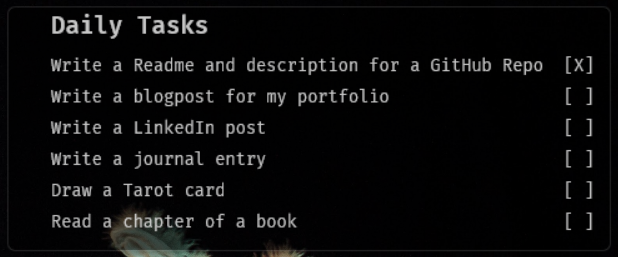
Rainmeter is an awesome widget-reviving tool. It actually feels pretty comfortable stylistically even for this time, having a lot of new stylish minimalistic and very modern designs. While ALSO giving opportunities to customise that are immense and relatively easy to grasp.
I will soon upload it all to GitHub, once I polish it enough and add a link here if you'd like to try my widget!
So what does it do?
It allows me to tick off the tasks on the desktop and it gets automatically synchronised with the fields in my Googly Sheets spreadsheet. So, if I have all these tasks for a day, that I need to do daily, the widget just gets the today's date, finds the right column to write the tick, and then the google service account does it for me in the actual document! Also vice-versa. If I fill a relevant cell in the spreadsheet, the Rainmeter widget is set to update every minute so it shows relevant info pretty quickly. I did not want to overload it too much so didn't set the auto-update to be any faster than that. You are free to change that 100% to your taste and needs.
My flow:
- A click of the tickbox on the widget runs a python script
- Python script update_task.py sends a write request to the Google Service Account
- Google Service Account uses its JSON key to authenticate (security flaw, it's better to use 0Auth)
- Writes the changes to the spreadsheet (spreadsheet has service account's email in the list of allowed editors)
- load_task.py updates the data displayed on the widget.
Very low effort, very simple. But this was what introduced me to the Google Cloud API (I wouldn't be able to hide from it much longer anyway) and the precious Rainmeter.
#widgets #webdev #productivity